








Distribute work across your people. In the way that works for you.

From quickly allocating hours across several weeks to detailed planning by person, project or day. Timewax gives you different ways to plan the work, without adding more detail than you need.

Trusted by service teams in IT, accountancy, consultancy and technical services

Timewax score on Capterra

The right details

From high-level to detailed

Not every type of work requires the same level of planning. Timewax supports different levels of detail, so you can plan in the way that fits the work.

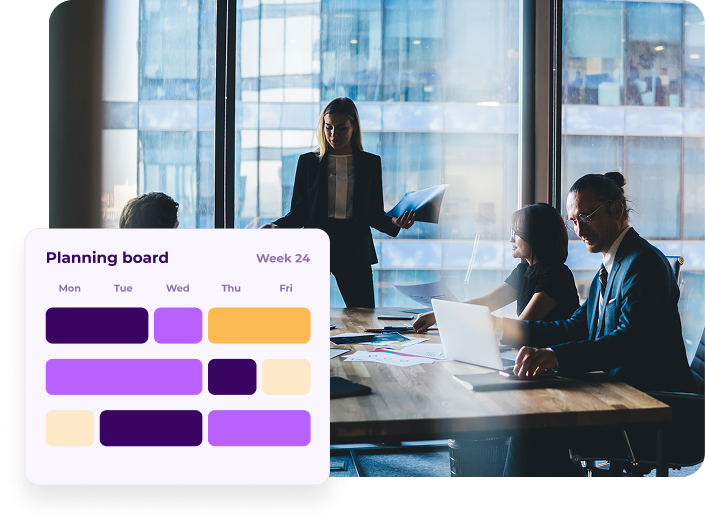
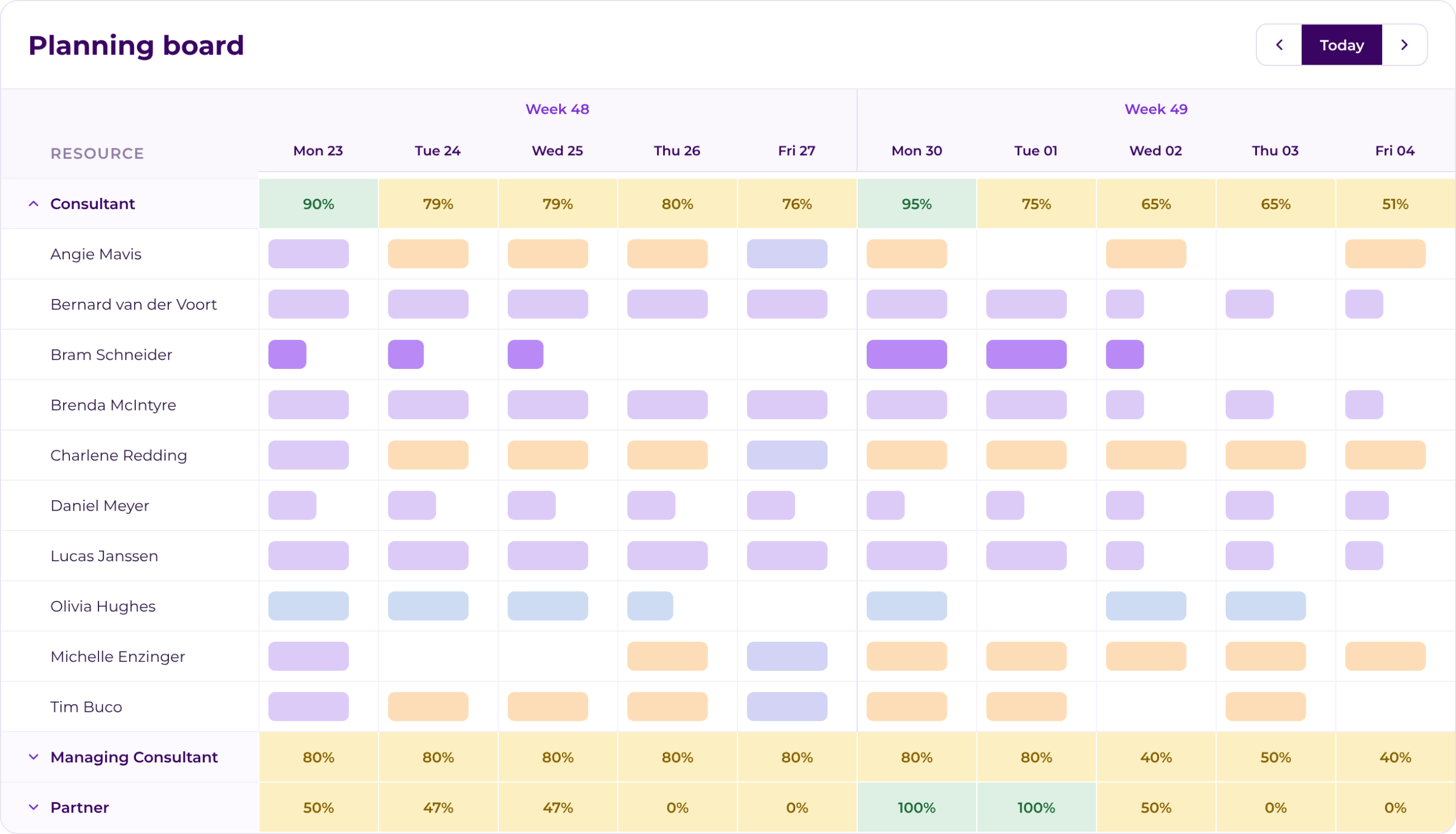
Planning board

Plan with real availability

Factor in workable hours, leave and other relevant resource data. So you don’t just assign work — you know whether someone is actually available.

See planning from both sides

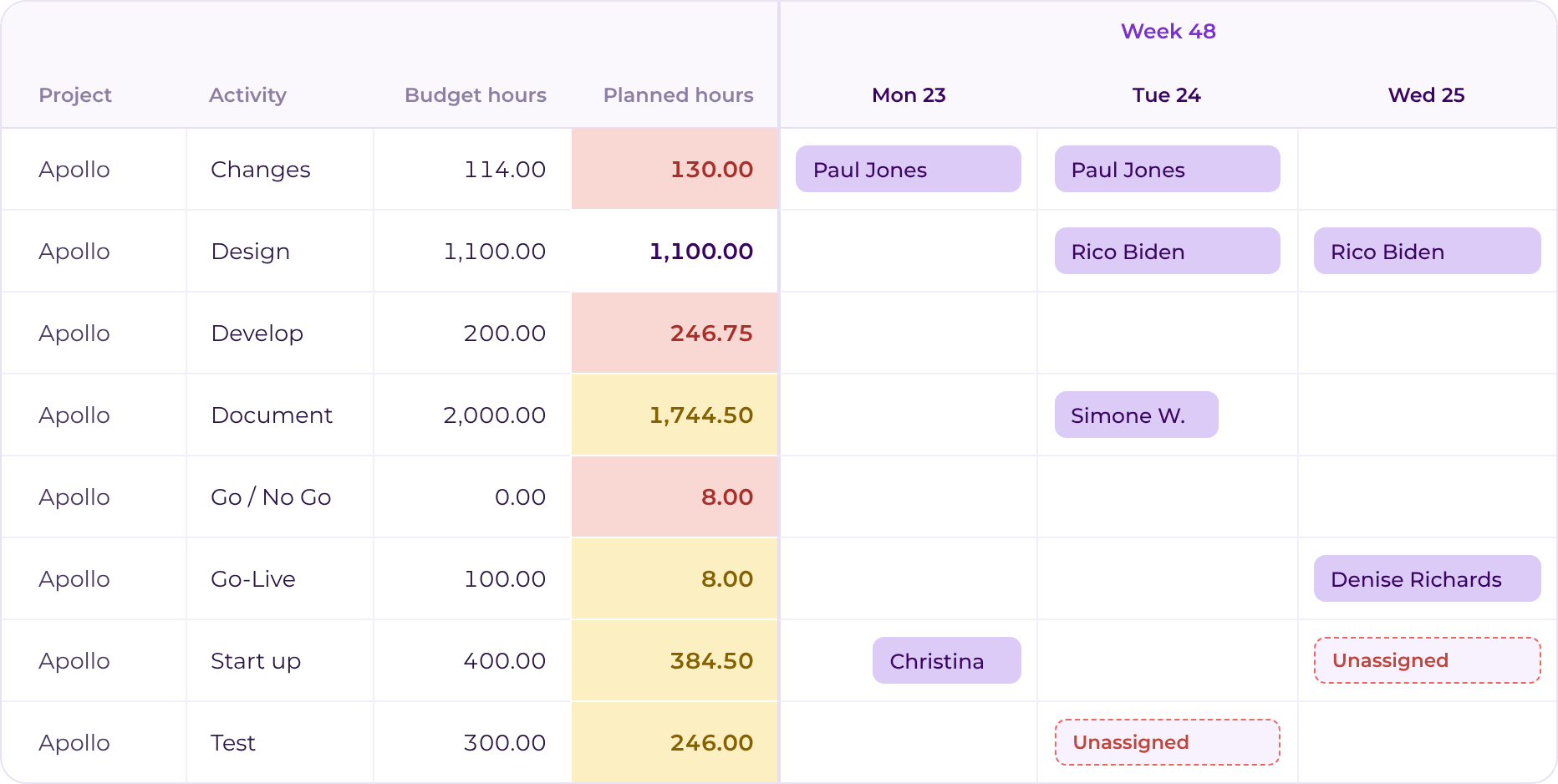
Look at your people to see who has room, or at your projects to see what still needs to be planned.

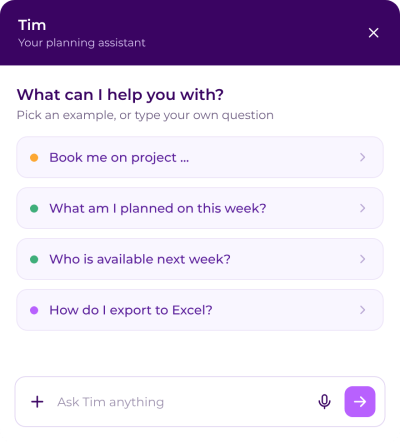
Let Tim take more planning work off your hands

Ask questions about the platform, retrieve information from your planning or let Tim carry out specific planning tasks. Step by step, Tim can take over more repetitive planning work.

tim-start

Plan at the level the work requires

Planning board

Everything in one view

Plan from a people or project perspective and instantly see available, planned and budgeted hours. So you know not only who is working on what, but whether it actually fits.

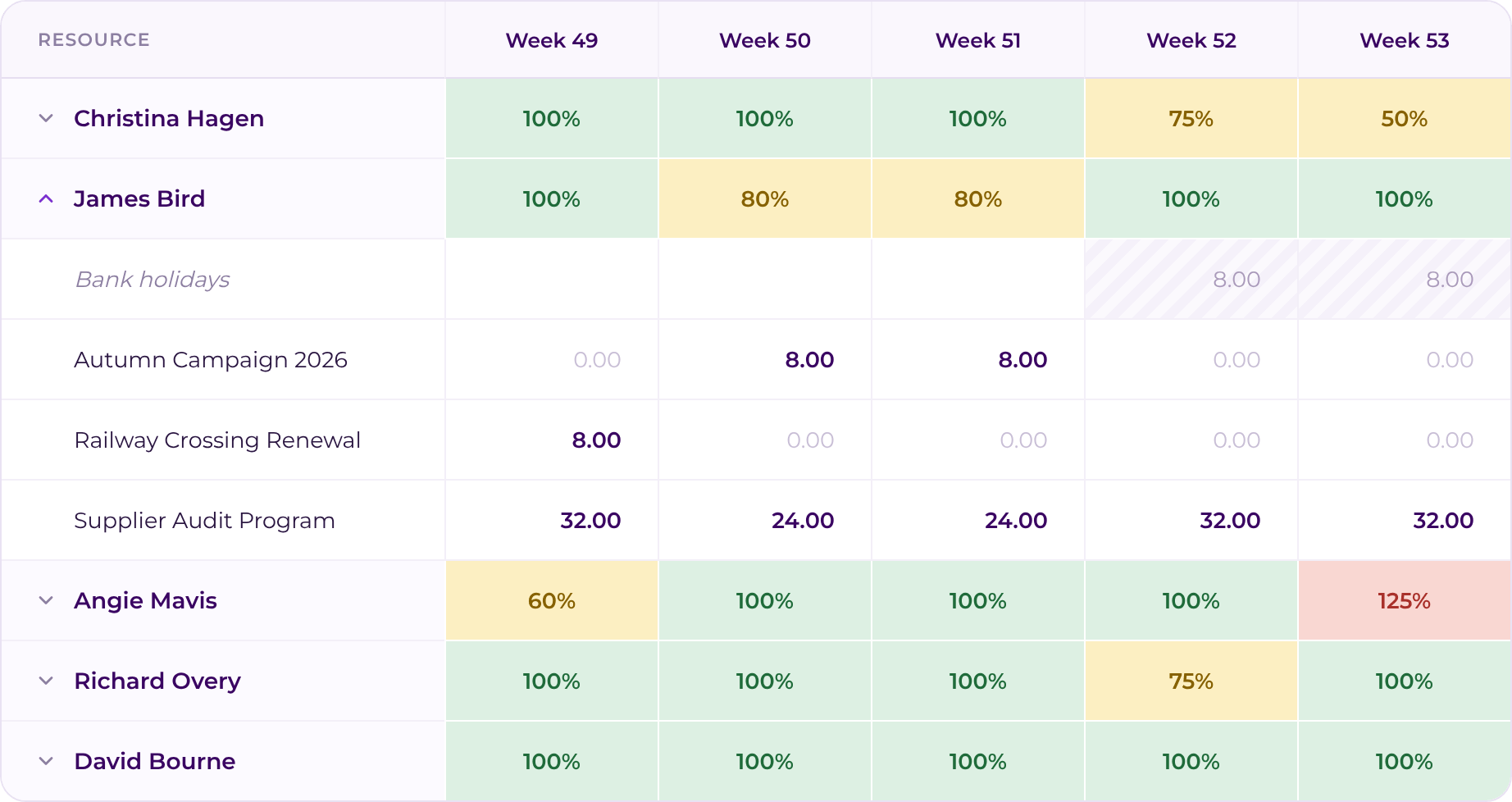
Week planner

Allocate hours quickly

Know how much time someone should spend on a project over the next few weeks, but you don’t want to schedule them on a day-level? The week planner lets you allocate hours across a longer period quickly.

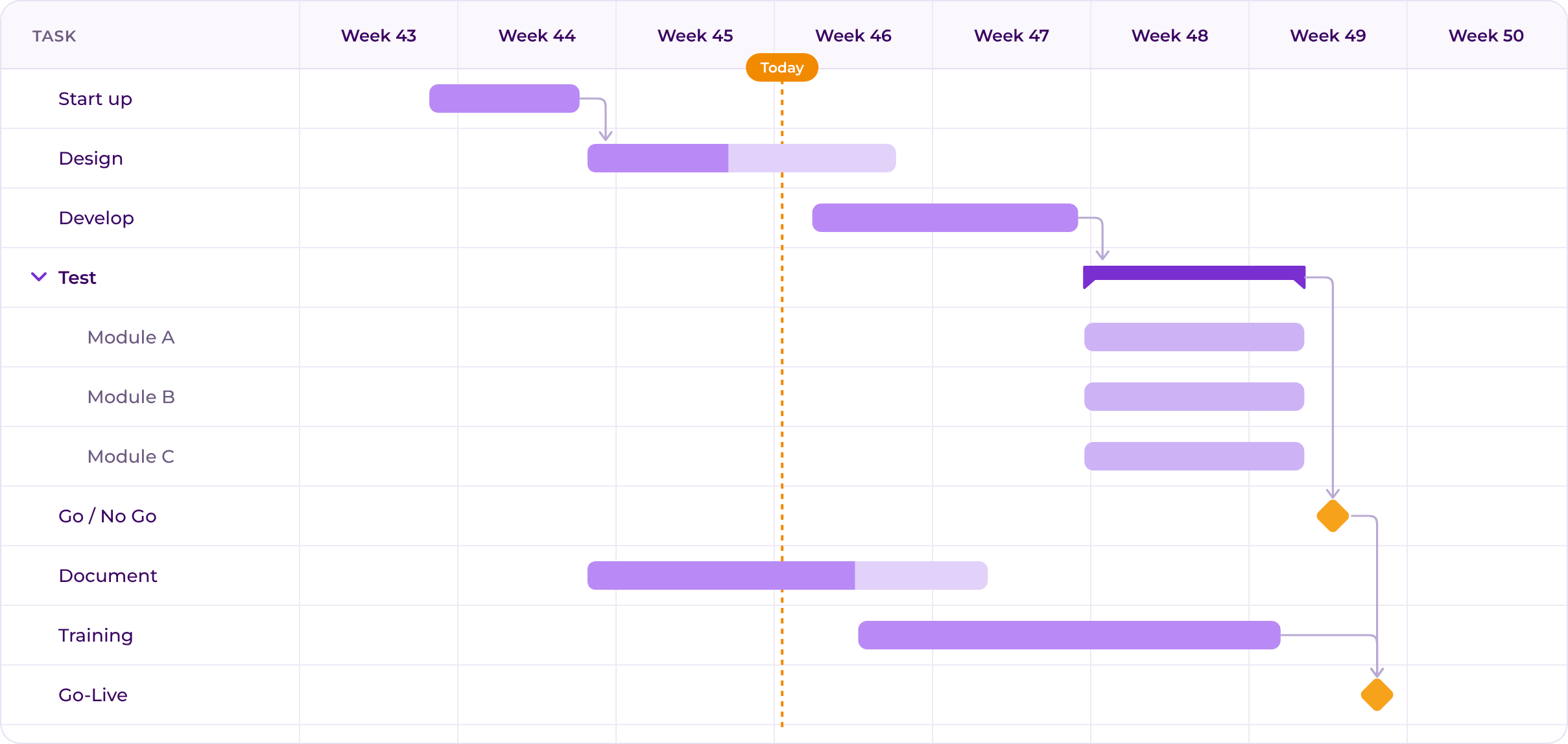
Gantt chart

See the full timeline

View projects and activities over time and see how planned work is distributed across the full project duration.

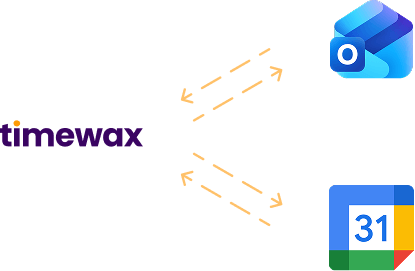
Calendar

Planning where people already work

Everyone has their own planning at hand. Sync Timewax with Outlook or Google Calendar to bring appointments and project planning together.

Try Timewax for free

Explore Timewax’s resource planning features at your own pace with a free trial.

No commitment. Cancel anytime.

Timewax home page

Integrations

Works with the systems you already use

Timewax doesn’t have to sit alongside your existing systems. Connect the platform with tools including Outlook, Google Calendar, AFAS, Exact and other project and financial administration systems.

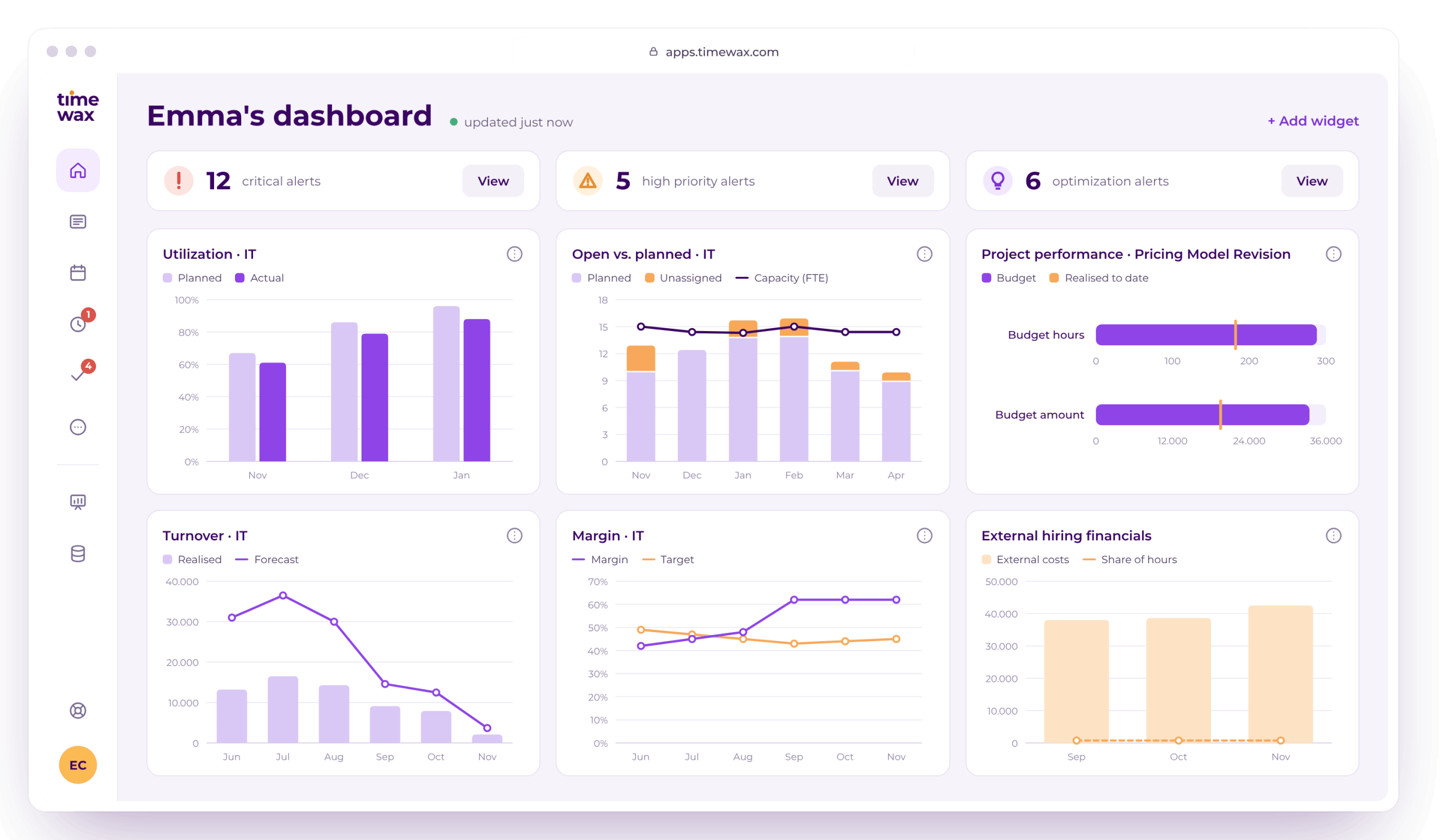
One process. More insight at every step.

The value isn’t only in the individual parts, but in what happens when you use them together.

You see your utilization.

So you know where there’s still room and where things are getting tight.

You record what actually happens.

So you can compare planning with reality.

You look around corners.

So you can adjust projects, capacity and performance earlier.

Read how teams gain more control in practice

Ready in two minutes

“If I schedule a project for a department, I'll be done in two minutes. I select the employees and simply drag them onto the project”

Martin Embregts

Planner Operations

Management is happy

"In just a few clicks, management can see the resource utilization at this moment, and generate projections for in the future."

Thibaut Vos

ERP Manager

Time gain for consultants

"Because the planning is taken over from Timewax, the correct project codes and hours are already in the time sheets. That saves a lot of time."

Rick van Son

Project Manager

Fully automatic

"Transferring the schedule to the employees' calendars is now fully automatic and that saves a lot of time and manual operations.” 

Olaf van der Sanden

Project team manager

More professional

“At a certain point spreadsheets don't cut it anymore. You have to make the switch to professional resource planning software, such as Timewax.”

Kendra van Zessen

Project Manager

Transparancy & efficiency

"The impact of Timewax is that business processes have become a lot more transparent and that they have been made more efficient.”

Leona van Duivenoorde

Planner

Frequently asked questions

Yes. Timewax is designed to support both detailed short-term scheduling and high-level long-term planning—all in one system.

For short-term scheduling, you can plan at a very granular level using the Planning Board. This allows day-level planning with precise time slots, similar to how you schedule work in Outlook or Google Calendar.

For long-term planning, Timewax lets you work at a higher level of abstraction using the Week Planner. Instead of assigning exact times, you simply define hours per week over longer periods. Timewax automatically translates these weekly allocations into concrete bookings behind the scenes.

By combining short-term and long-term planning in one platform, Timewax provides a single source of truth where all scheduling data is stored, updated, and retrieved in real time—giving you full visibility and flexibility across all planning horizons.

Yes. Timewax supports skills-based assignment and scheduling through a built-in skill matrix.

You can define skills and proficiency levels in the system and assign them to employees. This creates a clear overview of who is qualified to perform which type of work.

When setting up projects and activities, you can specify the required skills needed to complete the work. During scheduling, Timewax automatically helps you identify and assign the most suitable employees based on skill match.

Timewax also supports skill expiration management, which is especially valuable for technical and service-oriented organizations. The system proactively notifies you when skills or certifications are about to expire, allowing you to take action in time and maintain compliance.

Timewax is highly flexible and can be configured to match the governance model of your organization.

You can define your scheduling rules, roles, and permissions centrally, based on how much control or autonomy different parts of the organization require. This setup depends largely on your organizational structure and operating model.

Timewax supports:

  • Strong central control, where planning and decisions are managed centrally

  • Strong local autonomy, where professionals have the flexibility to make scheduling arrangements directly with customers

  • Hybrid models, where resources and projects are planned at a high level, while detailed scheduling is handled by the executing teams

These models can be applied differently across business units, departments, or teams, allowing you to combine centralized oversight with local flexibility—without losing consistency or visibility.

Traditional resource planning no longer works

Download this free white paper on how things should be done differently.

Potential revenue increase