Scheduling in Outlook, 4 best practices
You can integrate Timewax with Outlook. But is a booking the same as an appointment? You should pay attention to this when you link the planning of employees to Outlook.

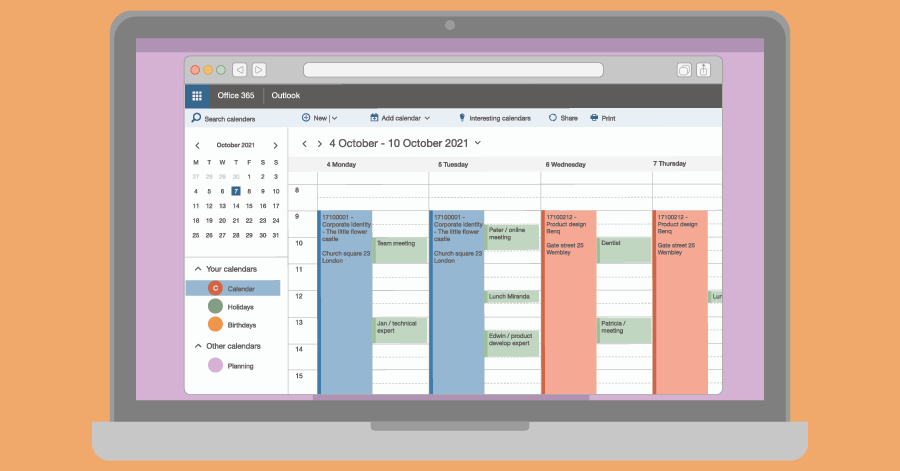
With the Timewax 1-way Microsoft Outlook integration, your planning data becomes instantly visible alongside personal appointments in Outlook. This means employees can view their work schedule and personal calendar in one place—making planning simple, clear and stress-free.
Trusted by service organisations that have to deliver every day
This one-way integration pushes your resource bookings from Timewax directly into Microsoft Outlook in Office 365. Once set up, changes in Timewax automatically update in Outlook.
Do you have any questions? We’re happy to help.
Yes. It pushes planning bookings from Timewax into the default work calendar of the employees. This way, employees have a complete view of all their engagements.
This integration is a one-way integration. Data flows from Timewax to Outlook in Office 365. It will never update or delete the appointments employees made in Outlook themselves. The integration simply does not ‘see’ those events.
At first they can, because that is simply how Microsoft set up privileges. However, the integration has been set up to spot changes made in Outlook and will revert the changes accordingly. So for example, when employees delete a Timewax booking in their Outlook calendar, the integration will restore the booking in a matter of seconds.
Yes, you can. In Timewax, you can define how the subject of the event is displayed in Outlook and which information from Timewax is shown in the description of the event. This allows you to customise it to your needs so that your employees get exactly the information you want them to see.
You can configure to show a progress link in the Timewax event in Outlook. When your employees click on the link, they can immediately report the progress information of the related project. This way, employees report the progress without having to log on. This saves them a lot of time.

You can integrate Timewax with Outlook. But is a booking the same as an appointment? You should pay attention to this when you link the planning of employees to Outlook.


Everyone is familiar with repetitive tasks that make you think: “Isn’t there another way?” Yes, you there is! By integrating your planning software, you can automate tasks.

Good planning is vital for many firms. This way, you optimize the hourly-based turnover, and your employees work as efficiently as possible. Yet it often doesn’t work out.